;} %3C/style%3E%3Cpath class='st0' d='M89.7,52c-2.9,0.1-5.8-0.5-8.4-1.6c-2.1-0.9-4-2.5-5.2-4.4c-1.2-1.9-1.8-4.1-1.8-6.4h7.2c0,1,0.3,2,0.8,2.9 c0.6,1,1.6,1.8,2.7,2.3c1.5,0.6,3.1,0.9,4.8,0.9c1.5,0.1,3.1-0.2,4.5-0.8c1.1-0.4,2-1.1,2.7-2c0.6-0.8,0.9-1.8,0.9-2.9 c0-1.3-0.6-2.5-1.7-3.2c-1.6-1-3.4-1.5-5.3-1.5L87.4,35c-3.2-0.1-6.2-1.3-8.6-3.4c-2.2-2-3.3-4.8-3.2-7.7c-0.1-2.2,0.5-4.4,1.7-6.2 c1.2-1.8,2.8-3.1,4.8-4c4.7-1.9,9.9-1.9,14.6,0.1c2,0.9,3.6,2.4,4.8,4.2c1.2,1.9,1.7,4.1,1.7,6.4H96c0-1-0.2-2-0.7-2.8 c-0.5-0.9-1.3-1.7-2.3-2.1c-1.2-0.6-2.5-0.9-3.8-0.8c-1.2,0-2.5,0.2-3.6,0.8c-0.9,0.4-1.6,1.1-2.1,2C83,22.1,82.8,23,82.8,24 c0,1.1,0.5,2.2,1.3,3c1.1,1,2.6,1.5,4.1,1.5l3.2,0.3c2.4,0.1,4.8,0.7,7.1,1.7c1.9,0.8,3.5,2.1,4.7,3.8c1.2,1.7,1.8,3.7,1.7,5.7 c0,2.2-0.6,4.4-1.9,6.3c-1.3,1.9-3.2,3.3-5.3,4.2C95.2,51.5,92.4,52.1,89.7,52z'/%3E%3Cpath class='st0' d='M124.3,52c-2.2,0-4.5-0.4-6.6-1.2c-1.8-0.7-3.4-1.8-4.8-3.2c-1.3-1.3-2.3-2.9-2.9-4.6c-0.7-1.7-1-3.6-1-5.4 v-1.1c0-1.9,0.3-3.8,1-5.5c1.4-3.6,4.3-6.4,7.9-7.8c2-0.8,4.2-1.2,6.4-1.2c2.2,0,4.4,0.4,6.4,1.2c1.8,0.7,3.5,1.8,4.8,3.2 c1.3,1.3,2.3,2.9,3,4.6c0.7,1.7,1,3.6,1,5.5v1.1c0,1.9-0.3,3.7-1,5.4c-0.7,1.7-1.7,3.3-3,4.6c-1.4,1.4-3,2.5-4.8,3.2 C128.7,51.6,126.5,52,124.3,52z M124.3,45.9c1.5,0.1,3.1-0.4,4.4-1.2c1.2-0.8,2.2-1.9,2.8-3.1c0.7-1.4,1-3,0.9-4.5 c0-1.6-0.3-3.1-1-4.5c-0.6-1.3-1.6-2.4-2.8-3.2c-1.3-0.8-2.8-1.2-4.3-1.2c-1.5,0-3.1,0.4-4.4,1.2c-1.2,0.8-2.2,1.9-2.8,3.2 c-0.7,1.4-1,3-1,4.5c0,1.6,0.3,3.1,1,4.5c0.6,1.3,1.6,2.4,2.8,3.1C121.2,45.5,122.7,45.9,124.3,45.9L124.3,45.9z'/%3E%3Cpath class='st0' d='M157.1,52c-2.2,0-4.3-0.4-6.3-1.2c-1.7-0.8-3.2-1.9-4.4-3.3c-1.2-1.4-2.1-3-2.6-4.7c-0.6-1.7-0.9-3.5-0.9-5.3 v-1c0-1.9,0.3-3.7,0.9-5.4c0.6-1.7,1.5-3.3,2.7-4.6c1.2-1.4,2.7-2.5,4.4-3.2c4.1-1.7,8.7-1.6,12.8,0.2c1.9,0.9,3.5,2.2,4.6,3.9 c1.2,1.7,1.8,3.8,1.9,5.9h-7c-0.2-1.4-0.8-2.6-1.8-3.6c-1.2-1-2.8-1.6-4.3-1.5c-1.4,0-2.7,0.4-3.9,1.1c-1.1,0.8-1.9,1.9-2.4,3.1 c-0.5,1.5-0.8,3-0.8,4.5c0,1.5,0.2,3.1,0.8,4.5c0.4,1.3,1.2,2.4,2.3,3.2c1.2,0.8,2.6,1.2,4,1.1c1.1,0,2.2-0.2,3.2-0.7 c0.9-0.4,1.6-1.1,2.1-1.9c0.6-0.8,0.9-1.7,1-2.7h7c-0.1,2.1-0.8,4.2-2,6c-1.2,1.7-2.8,3.1-4.7,4C161.7,51.6,159.4,52.1,157.1,52z'/%3E%3Cpath class='st0' d='M172.4,28.4V23h11.1v5.4L172.4,28.4z M178.9,19.7c-1.1,0.1-2.3-0.3-3.1-1.1c-0.7-0.8-1-1.8-1-2.8 c0-1,0.3-2,1-2.8c0.8-0.8,2-1.2,3.1-1.1c1.1-0.1,2.3,0.3,3.1,1.1c0.7,0.8,1,1.8,1,2.8c0,1-0.3,2-1,2.8 C181.2,19.4,180,19.8,178.9,19.7z M176.3,51V23h7.2v28H176.3z'/%3E%3Cpath class='st0' d='M197.7,51.7c-1.8,0-3.6-0.3-5.3-1.1c-1.5-0.7-2.7-1.7-3.5-3.1c-0.9-1.5-1.3-3.1-1.3-4.8 c-0.1-1.8,0.4-3.6,1.5-5.1c1.1-1.4,2.6-2.4,4.3-2.9c2.1-0.7,4.3-1,6.5-1h6.4V38h-6.6c-1.4-0.1-2.7,0.3-3.8,1.2 c-1.7,1.7-1.8,4.4-0.1,6.1c0,0,0.1,0.1,0.1,0.1c1.1,0.9,2.4,1.3,3.8,1.2c0.9,0,1.9-0.2,2.8-0.5c0.9-0.4,1.6-1,2.1-1.8 c0.6-1.1,0.9-2.3,0.9-3.6l1.8,2c-0.1,1.8-0.6,3.5-1.4,5c-0.7,1.3-1.9,2.4-3.2,3.1C201.2,51.4,199.4,51.8,197.7,51.7z M206.7,51v-8.3 h-1.2v-9.2c0.1-1.3-0.3-2.6-1.2-3.6c-1-0.9-2.3-1.3-3.6-1.2c-0.9,0-1.9,0-3.1,0l-3.6,0.1c-1.2,0.1-2.3,0.1-3.3,0.2v-6l2.6-0.2 c1-0.1,2-0.1,3.1-0.1s2.1,0,3,0c2.4-0.1,4.9,0.3,7.2,1.1c1.8,0.7,3.3,1.9,4.3,3.5c1.1,2,1.6,4.2,1.5,6.4V51L206.7,51z'/%3E%3Cpath class='st0' d='M215.3,18.7v-5.4H226v5.4H215.3z M218.8,51V13.4h7.2V51H218.8z'/%3E%3Cpath class='st1' d='M232.8,51V13.1h7.3V51H232.8z M239.1,39.5v-6.3h7.3c1.3,0,2.6-0.3,3.7-0.9c1-0.6,1.8-1.4,2.4-2.4 c0.6-1.1,0.8-2.3,0.8-3.5c0-1.3-0.3-2.5-0.8-3.6c-0.5-1-1.3-1.8-2.4-2.4c-1.1-0.6-2.4-0.9-3.7-0.9h-7.3v-6.3h6.7 c2.8-0.1,5.5,0.4,8.1,1.5c2.1,0.9,3.9,2.5,5.1,4.4c1.2,2.1,1.8,4.4,1.8,6.8v0.8c0.1,2.4-0.5,4.7-1.8,6.8c-1.2,2-3,3.5-5.1,4.4 c-2.5,1.1-5.3,1.6-8.1,1.5L239.1,39.5z'/%3E%3Cpath class='st1' d='M271.8,51.7c-1.8,0-3.6-0.3-5.3-1.1c-1.5-0.7-2.7-1.7-3.5-3.1c-0.9-1.5-1.3-3.1-1.3-4.8 c-0.1-1.8,0.4-3.6,1.5-5.1c1.1-1.4,2.6-2.4,4.3-2.9c2.1-0.7,4.3-1,6.5-1h6.4V38h-6.5c-1.4-0.1-2.7,0.3-3.8,1.2 c-1.7,1.7-1.8,4.4-0.1,6.1c0,0,0.1,0.1,0.1,0.1c1.1,0.9,2.4,1.3,3.8,1.2c0.9,0,1.9-0.2,2.8-0.5c0.9-0.4,1.6-1,2.1-1.8 c0.6-1.1,0.9-2.3,0.9-3.6l1.8,2c-0.1,1.8-0.6,3.5-1.4,5c-0.7,1.3-1.9,2.4-3.2,3.1C275.2,51.4,273.5,51.8,271.8,51.7z M280.8,51v-8.3 h-1.2v-9.2c0.1-1.3-0.3-2.6-1.2-3.6c-1-0.9-2.3-1.3-3.6-1.2c-0.9,0-1.9,0-3.1,0l-3.6,0.1c-1.2,0.1-2.3,0.1-3.3,0.2v-6l2.6-0.2 c1-0.1,2-0.1,3.1-0.1s2.1,0,3,0c2.4-0.1,4.9,0.3,7.2,1.1c1.8,0.7,3.3,1.9,4.3,3.6c1.1,2,1.6,4.2,1.5,6.4V51L280.8,51z'/%3E%3Cpath class='st1' d='M292.6,51V23h5.7v12h-0.5c-0.1-2.4,0.3-4.9,1.1-7.1c0.6-1.8,1.8-3.3,3.4-4.3c1.7-1,3.6-1.5,5.6-1.5h0.3 c3.3,0,5.9,1.1,7.6,3.2s2.6,5.4,2.6,9.6v16h-7.2V34.3c0.1-1.5-0.5-3-1.5-4.2c-1-1.1-2.5-1.7-4-1.6c-1.6-0.1-3.1,0.5-4.3,1.6 c-1.1,1.2-1.7,2.7-1.6,4.3V51H292.6z'/%3E%3Cpath class='st1' d='M336.2,51.9c-1.9,0-3.7-0.3-5.4-1.1c-1.6-0.7-3.1-1.7-4.3-3c-1.2-1.3-2.2-2.9-2.8-4.6c-0.7-1.8-1-3.7-1-5.7 v-1.1c0-1.9,0.3-3.8,0.9-5.6c0.6-1.7,1.5-3.3,2.7-4.6c1.2-1.3,2.6-2.4,4.2-3.1c1.7-0.8,3.6-1.1,5.4-1.1c2,0,4,0.4,5.8,1.4 c1.7,1,3.1,2.5,4,4.2c1.1,2.2,1.6,4.7,1.6,7.1l-2.1-2.4V13.4h7.2V51h-5.7V39.2h1.3c0,2.5-0.6,4.9-1.8,7.1c-1,1.8-2.4,3.3-4.2,4.3 C340.2,51.5,338.2,52,336.2,51.9z M337.8,45.9c1.3,0,2.7-0.3,3.9-1c1.2-0.7,2.1-1.6,2.8-2.8c0.7-1.3,1.1-2.8,1.1-4.3v-2.1 c0-1.5-0.3-2.9-1.1-4.1c-0.7-1.1-1.7-2-2.8-2.6c-1.2-0.6-2.5-0.9-3.8-0.9c-1.4,0-2.9,0.4-4.1,1.1c-1.2,0.8-2.2,1.8-2.8,3.1 c-0.7,1.5-1,3.1-1,4.7c0,1.6,0.3,3.2,1,4.7c0.6,1.3,1.6,2.3,2.8,3.1C334.9,45.6,336.3,45.9,337.8,45.9L337.8,45.9z'/%3E%3Cpath class='st1' d='M367,51.7c-1.8,0-3.6-0.3-5.3-1.1c-1.5-0.7-2.7-1.7-3.5-3.1c-0.9-1.5-1.3-3.1-1.3-4.8c-0.1-1.8,0.4-3.6,1.5-5.1 c1.1-1.4,2.6-2.4,4.3-2.9c2.1-0.7,4.3-1,6.5-1h6.4V38H369c-1.4-0.1-2.7,0.3-3.8,1.2c-1.7,1.7-1.8,4.4-0.1,6.1c0,0,0.1,0.1,0.1,0.1 c1.1,0.9,2.4,1.3,3.8,1.2c0.9,0,1.9-0.2,2.8-0.5c0.9-0.4,1.6-1,2.1-1.8c0.6-1.1,0.9-2.3,0.9-3.6l1.8,2c-0.1,1.8-0.6,3.5-1.4,5 c-0.7,1.3-1.8,2.3-3.1,3C370.4,51.4,368.7,51.8,367,51.7z M376,51v-8.3h-1.2v-9.2c0.1-1.3-0.3-2.6-1.2-3.6c-1-0.9-2.3-1.3-3.6-1.2 c-0.9,0-1.9,0-3.1,0l-3.6,0.1c-1.2,0.1-2.3,0.1-3.3,0.2v-6l2.7-0.2c1-0.1,2-0.1,3.1-0.1s2.1,0,3,0c2.4-0.1,4.9,0.3,7.2,1.1 c1.8,0.7,3.3,1.9,4.3,3.6c1.1,2,1.6,4.2,1.5,6.4V51L376,51z'/%3E%3Cg id='_Group_'%3E%3Cpath class='st0' d='M23.3,0h17.3c12.9,0,23.3,10.4,23.3,23.3v17.3c0,12.9-10.4,23.3-23.3,23.3H23.3C10.4,63.9,0,53.4,0,40.6V23.3 C0,10.4,10.4,0,23.3,0z'/%3E%3C/g%3E%3Cg id='_Group_2'%3E%3Cpath class='st2' d='M63.9,35.7v4.9c0,12.9-10.4,23.3-23.3,23.3H29L11.5,46.3L52,24L63.9,35.7z'/%3E%3C/g%3E%3Cpath class='st1' d='M31.9,52.8c-7,0-12.2-1-16.1-3.1c-2.4-1.2-4.4-3-5.8-5.3c-1.5-2.5-2.2-5.3-2.1-8.2c0-6,2.6-11.8,7.2-15.8 c4.6-4.2,10.7-6.4,16.9-6.4c6.2,0,12.2,2.2,16.9,6.4c4.5,4,7.2,9.7,7.2,15.8c0.1,2.9-0.7,5.7-2.1,8.2c-1.4,2.3-3.4,4.1-5.8,5.3 C44.2,51.7,38.9,52.8,31.9,52.8z'/%3E%3ClinearGradient id='SVGID_1_' gradientUnits='userSpaceOnUse' x1='18.6133' y1='42.5239' x2='46.8733' y2='18.1239' gradientTransform='matrix(1 0 0 -1 0 66)'%3E%3Cstop offset='0' style='stop-color:%23FFFFFF'/%3E%3Cstop offset='0.57' style='stop-color:%23FDFDFD'/%3E%3Cstop offset='0.84' style='stop-color:%23F5F5F5'/%3E%3Cstop offset='1' style='stop-color:%23ECECEC'/%3E%3C/linearGradient%3E%3Cpath class='st3' d='M52.4,36.1c0,10.2-9.1,13-20.4,13s-20.4-2.8-20.4-13s9.1-18.5,20.4-18.5S52.4,25.9,52.4,36.1z'/%3E%3Cpath class='st1' d='M36.2,40.3c0,1.5-1.9,2.8-4.2,2.8s-4.2-1.3-4.2-2.8s1.9-1.9,4.2-1.9S36.2,38.8,36.2,40.3z'/%3E%3Cpath class='st1' d='M44.2,28.9c-2.8-2.8-6.6-3.5-8.4-1.7s0,4.5,2.8,7.3s5.5,4.7,7.3,2.8S47,31.7,44.2,28.9z'/%3E%3Cpath class='st1' d='M50.9,13.4c-3.6-2.8-8.1-3.1-10-0.7s0.7,5.2,4.3,8s7,4.5,8.8,2.1S54.5,16.2,50.9,13.4z'/%3E%3Cpath class='st1' d='M13,13.4c3.6-2.8,8.1-3.1,10-0.7s-0.7,5.2-4.3,8s-7,4.5-8.8,2.1S9.3,16.2,13,13.4z'/%3E%3Cpath class='st1' d='M19.6,28.9c-2.8,2.8-3.5,6.6-1.7,8.4s4.5,0,7.3-2.8s4.6-5.5,2.8-7.3S22.4,26.1,19.6,28.9z'/%3E%3C/svg%3E)
Instagram does not notify anyone when you screenshot a Story, post, Reel, Highlight, profile or normal DM; it only alerts the sender when you screenshot a disappearing photo or video in a chat, or a message sent in vanish mode.
So, does Instagram notify when you screenshot? For almost everything you see in the app, no. This guide explains the two cases where a screenshot does get flagged, what the sender actually sees, and how to check it on your own messages. We checked Instagram’s Help Center and Meta’s announcements on 26 November 2026.
Does Instagram notify when you screenshot a story?
No. You can screenshot someone’s Instagram Story and they won’t get a notification. The person who posted it can see that you viewed the Story in their viewer list, but nothing marks that you took a screenshot.
Instagram did test Story screenshot alerts back in 2018. The test ended and the feature never rolled out to everyone. Screen recording a Story works the same way and doesn’t send an alert either.
The same goes for Close Friends Stories. Being on someone’s Close Friends list changes who can see the Story, not how screenshots are handled.
Does Instagram show screenshots of posts and Reels?
No. Feed posts, carousels, Reels and Highlights don’t send screenshot notifications. The creator can’t see who screenshotted their content, and Insights don’t show a screenshot count.
What creators do see is saves and shares. When someone taps Save or sends a post to a friend, it shows up in that post’s Insights as a number, without names. That’s why saves and shares matter more than screenshots for reach.
The same is true for business and creator accounts. Switching to a professional account gives you more Insights, but none of them track screenshots of your posts or Reels.
When does Instagram notify the other person about a screenshot?
Instagram flags screenshots in two places, and both are inside Direct Messages. The first is a disappearing photo or video. According to the Instagram Help Center, you can see if a disappearing photo or video you sent “was viewed or if someone took a screenshot”.
The second is vanish mode, a chat setting where messages vanish after they’re seen and you leave the chat. When Meta launched vanish mode on Instagram and Messenger, its November 2020 announcement said you’ll be notified if someone takes a screenshot while vanish mode is on.
Normal text messages, photos from your camera roll and shared posts in a regular chat don’t notify anyone. A screenshot of an ordinary conversation is not flagged.
How do you send a disappearing photo on Instagram?
Use the camera inside a chat. Instagram’s help page on disappearing photos says that after they’ve been opened, disappearing photos and videos are no longer visible on Instagram. You choose how many times the other person can view them.
| Step | Instagram app (iPhone/Android) | Desktop (instagram.com) |
|---|---|---|
| 1. Open the chat | Tap the Messenger icon, then open the conversation | Click Messages in the left menu, then open the conversation |
| 2. Take the photo | Tap the camera icon next to the message box and take a photo or video | Disappearing media is sent with the in-chat camera, so use the app for this step |
| 3. Pick the view setting | Choose View once, Allow replay or Keep in chat at the bottom | Not needed on desktop |
| 4. Send and check | Send it, then look under the photo for its status, such as Opened or Screenshot | Open the same chat to see the latest messages |
| 5. Vanish mode | In a chat, swipe up from the bottom to turn vanish mode on or off | Use the app for vanish mode |
Keep in chat saves the photo in the conversation like a normal message. Instagram only tracks screenshots for disappearing media, so a photo kept in chat behaves like any other message.
What does the sender see when you screenshot?
For a disappearing photo or video, the sender sees a small status under the message in the chat. Instagram’s Help Center describes it as a way to see whether the media was viewed or screenshotted.
In vanish mode, the alert appears inside the chat itself, so both people see that a screenshot was taken the next time they look at the conversation.
Instagram doesn’t tell anyone that you screenshotted their profile, bio, follower list or comments. Those parts of the app are treated like posts and Stories.
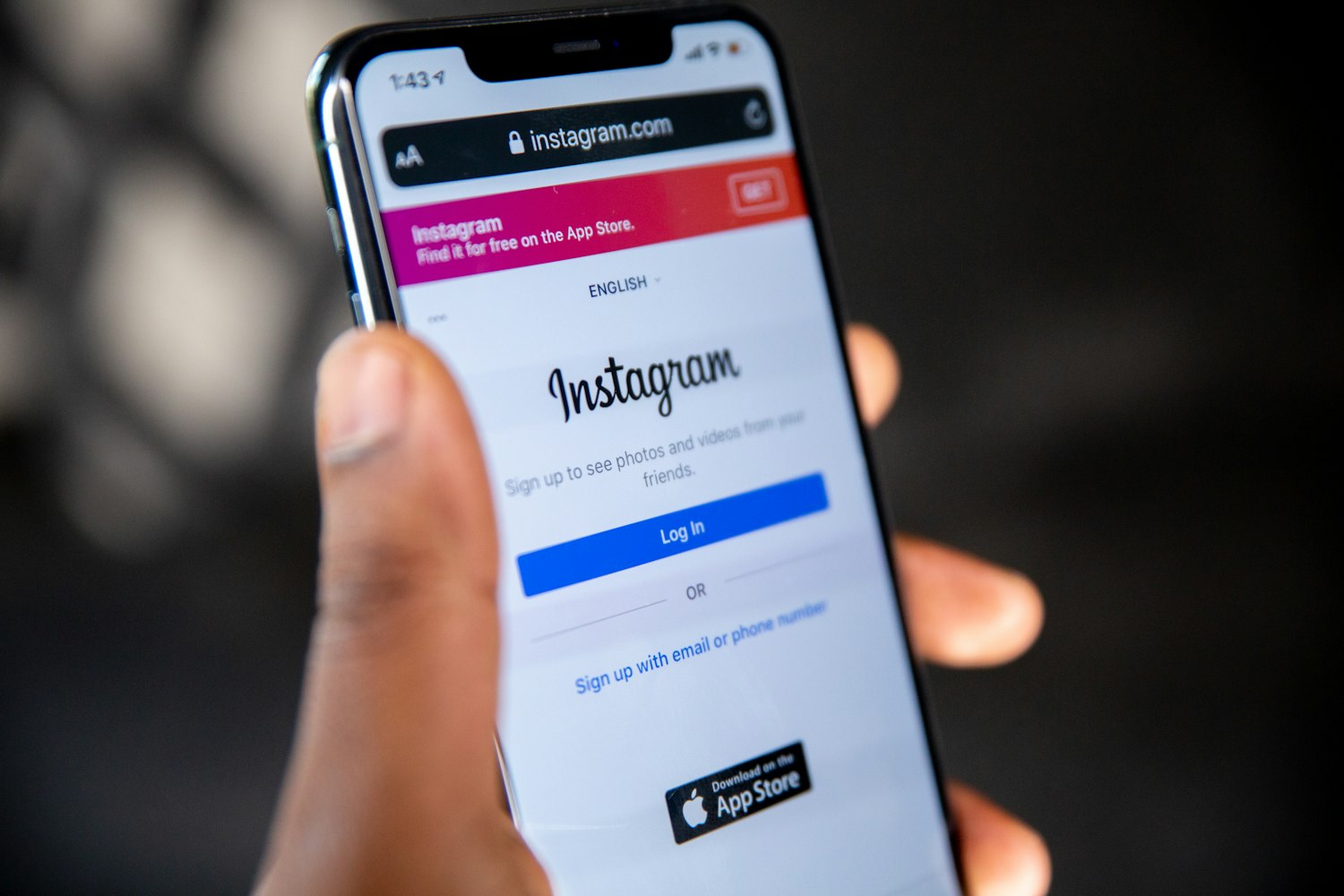
Does Instagram notify screen recordings?
Recording a Story, Reel or post sends no alert, just like a screenshot. Instagram’s Help Center only talks about screenshots for disappearing media, but third-party tests have found that screen recordings of disappearing photos and vanish mode chats can be flagged too.
The safe assumption: if the media was built to disappear, the sender may find out you recorded it. If it’s a normal post, Story or Reel, they won’t.
Some apps and phones block screen recording of protected media. If a recording comes out black, that’s the phone or app protecting the content, not an Instagram alert.
Does Instagram notify when you screenshot a Live or a Highlight?
No. Instagram Live streams and Story Highlights don’t send screenshot alerts. A Highlight is a saved set of old Stories, so it follows the same rule as Stories.
During a Live, the host sees who joined and who commented. A screenshot taken while watching is not shown to the host or to other viewers.
How do you take a screenshot on Instagram?
Instagram has no screenshot button, so you use your device’s own shortcut. These work the same in the Instagram app and on instagram.com.
| Device | Screenshot shortcut | Does Instagram see it? |
|---|---|---|
| iPhone with Face ID | Press the side button and volume up together | Only for disappearing media and vanish mode |
| Android | Press power and volume down together | Only for disappearing media and vanish mode |
| Windows PC | Press Windows + Shift + S | No alerts for posts, Stories or Reels |
| Mac | Press Command + Shift + 4 | No alerts for posts, Stories or Reels |
Is it okay to screenshot someone’s Instagram?
Taking a screenshot for yourself is common and Instagram doesn’t block it. Reposting someone else’s photo or video as your own is a different matter, because the creator still owns that content.
If you want to share a post, use the share button or reshare it to your Story. The creator gets the credit, and their post gets a share signal that a screenshot never gives.
Can you stop people from screenshotting your Instagram?
Not fully. Anyone who can see your content can screenshot it or take a photo of their screen with another phone. What you can control is who sees it in the first place.
- Make your account private so only approved followers see your posts and Stories.
- Share sensitive Stories with Close Friends only.
- Send private photos as View once disappearing media, so you know if someone screenshots them.
- Hide your Story from specific people in your Story settings.
For more on how Instagram decides who sees what, our guide to the Instagram algorithm in 2026 explains how Stories, Reels and DMs feed into reach.
Do screenshots help your Instagram growth?
Not directly. Instagram can’t count screenshots on posts, so they don’t show in Insights or affect ranking. Saves, shares, watch time and comments are the signals you can actually see.
That’s why creators chase saves and views instead of screenshots. SocialPanda delivers Instagram saves from real accounts and Instagram views using only your post link, with no password, and refills any that drop. Low-quality bot services send fake engagement in sudden spikes that look unnatural and often vanish.
If your audience likes to pass posts around, Instagram shares show that a post is worth sending to a friend, which is the signal a screenshot would never give you.
FAQ
Does Instagram notify when you screenshot a story in 2026?
No. As of November 2026, Instagram doesn’t notify people when you screenshot or screen record their Story. The poster only sees that you viewed it. Story screenshot alerts were tested in 2018 and dropped.
Does Instagram notify when you screenshot a DM?
Only in two cases. You’ll be flagged if you screenshot a disappearing photo or video, or any message in a vanish mode chat. Screenshots of normal messages, text and shared posts don’t send a notification.
Can someone see if I screenshot their Instagram profile?
No. Instagram doesn’t track screenshots of profiles, bios, follower lists or comments. The person won’t know, and Instagram won’t show it anywhere in their Insights or activity.
Does Instagram notify when you screenshot a Reel?
No. Reels don’t send screenshot or screen recording alerts. The creator sees views, likes, comments, shares and saves, but never who took a screenshot.
How do I know if someone screenshotted my disappearing photo?
Open the chat and look at the status under the photo or video you sent. Instagram’s Help Center says this status shows if it was viewed or if someone took a screenshot.
Want 15% off your first order?
Get tips like this one and your welcome code by email.
✓
One code per person. No spam, unsubscribe anytime.